

Attribution, Tracking, and Analytics Setup
If you want to set up attribution tracking and analytics, the basic idea is to measure which marketing touchpoints lead to conversions such as purchases, sign-ups, or downloads.
What attribution tracking does
- Connects user interactions with your ads, content, and campaigns to outcomes
- Helps answer: Which channels and campaigns drive results?
- Assigns credit across the customer journey, depending on the attribution model used
Common attribution models
- Last-click: gives all credit to the final touchpoint before conversion
- First-touch: gives all credit to the first touchpoint
- Linear: splits credit equally across touchpoints
- Time decay: gives more credit to touchpoints closer to conversion
- Data-driven / algorithmic: uses available conversion data to distribute credit more dynamically
Basic setup steps
-
Define measurement goals
- Decide what counts as a conversion
- Set clear KPIs
-
Set up tracking infrastructure
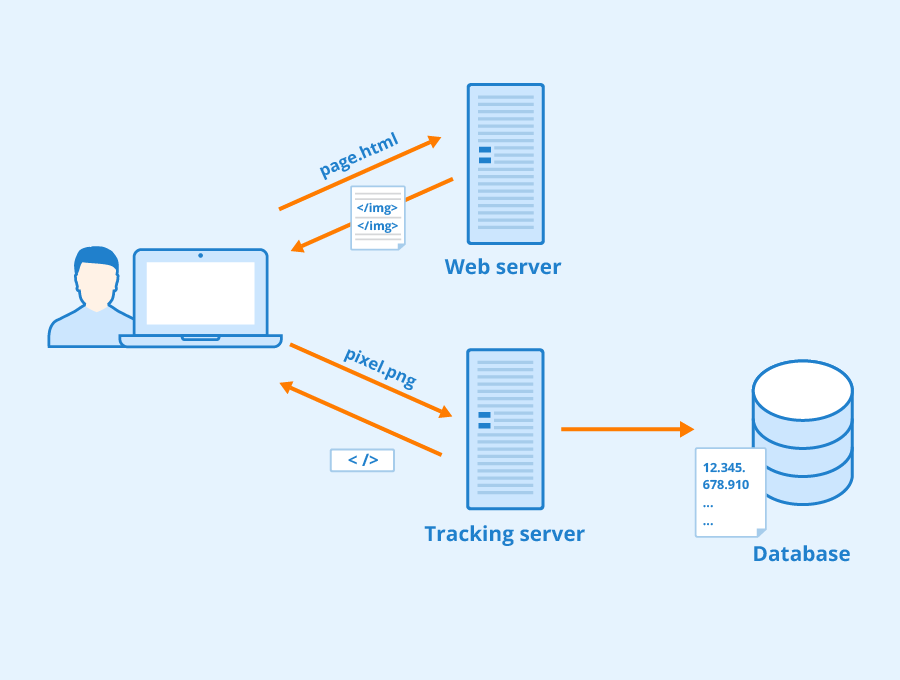
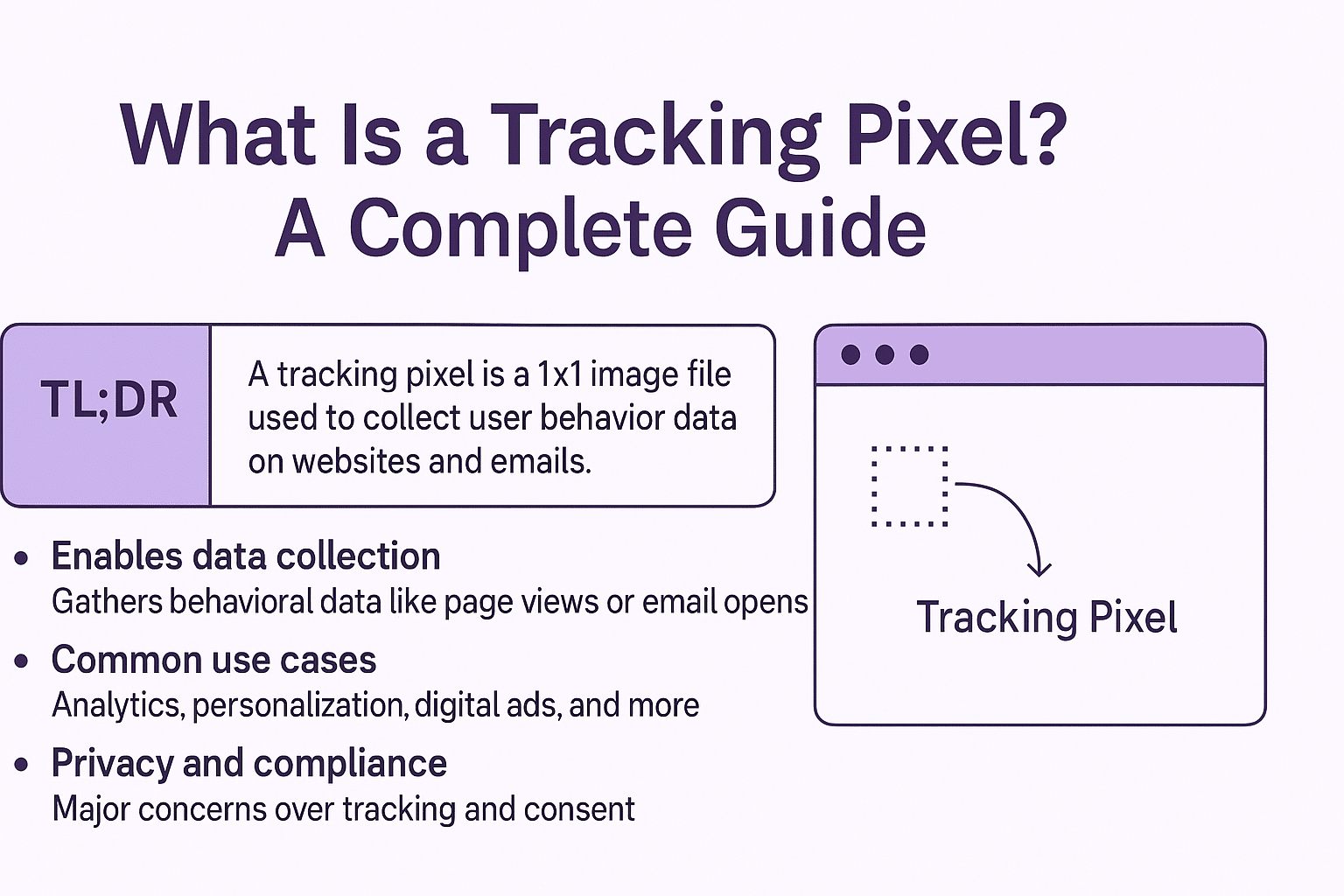
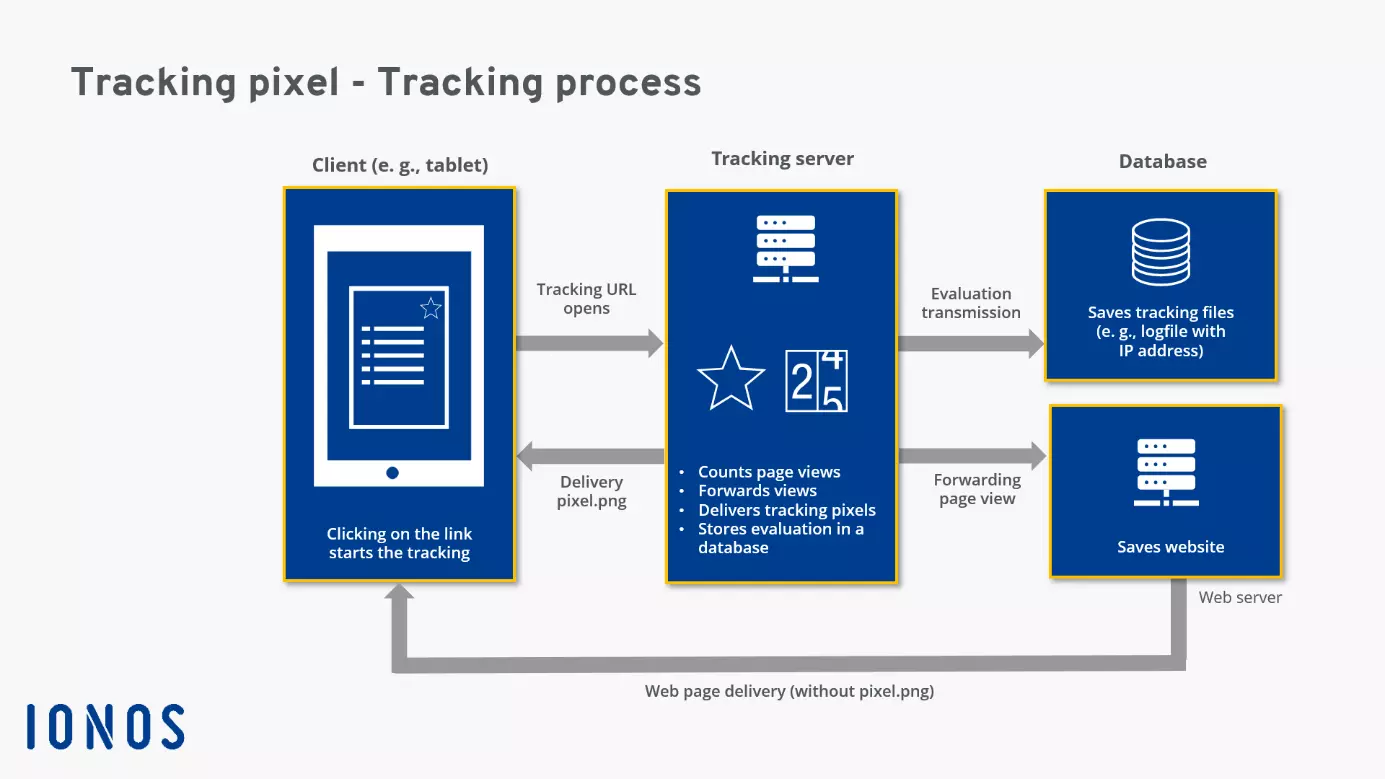
- Install conversion tracking pixels or tags
- Configure analytics goals or conversion events
- Make sure your CRM or other systems capture attribution data
-
Use proper tagging
- Add UTM parameters to links, especially non-Google traffic
- Keep naming consistent for
utm_source,utm_medium, andutm_campaign
-
Choose an attribution model
- Pick a model that matches your business goals
- Compare more than one model if needed
-
Validate with multiple tools
- Do not rely on only one reporting source
- Compare analytics platform data with ad platform or affiliate platform reports
In GA4
- Go to Admin > Attribution Settings to review attribution model settings
- Make sure at least one conversion event is configured
- Use reports like Model Comparison to compare different models
Good practices
- Check lookback windows and channel groupings
- Review cookie consent impact on data collection
- Regularly audit UTM tagging
- Revisit the setup as campaigns and customer behaviour change
If you want, I can also help you with a step-by-step GA4 setup checklist or a simple tracking plan template.















WebSeoSG offers the highest quality website traffic services in Singapore. We provide a variety of traffic services for our clients, including website traffic, desktop traffic, mobile traffic, Google traffic, search traffic, eCommerce traffic, YouTube traffic, and TikTok traffic. Our website boasts a 100% customer satisfaction rate, so you can confidently purchase large amounts of SEO traffic online. For just 40 SGD per month, you can immediately increase website traffic, improve SEO performance, and boost sales!
Having trouble choosing a traffic package? Contact us, and our staff will assist you.
Free consultation