

Tracking and Iterating Keyword Performance with Google Ads and Analytics Tools
Effectively tracking and iterating on keyword performance requires a systematic approach combining Google Ads' native tools with analytics platforms. This process enables you to identify underperforming keywords, optimise budget allocation, and continuously refine your campaigns for better results.
Accessing Keyword Performance Data
Native Google Ads Reporting
Start by navigating to the "Insights & reports" section in your Google Ads account to access predefined reports, or customise reports in the Report Editor by selecting the data points most relevant to your goals. To view detailed keyword performance, click the Campaigns icon, then access the "Audiences, keywords, and content" dropdown to see individual keyword metrics.
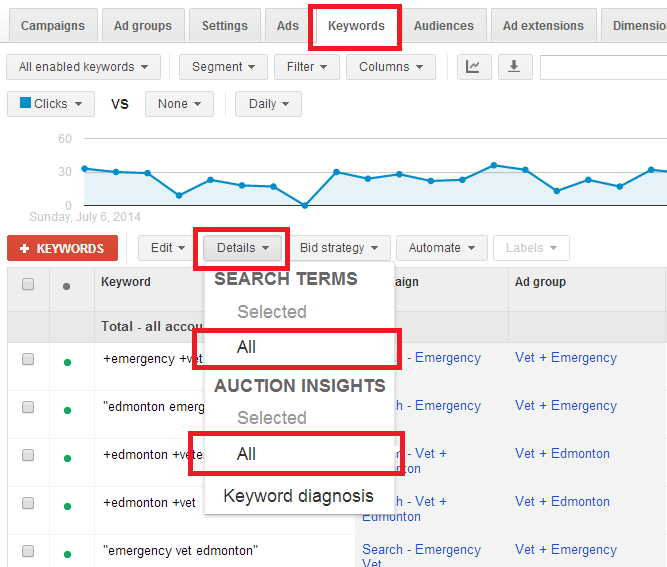
The Search Terms Report is particularly valuable as it shows the actual searches triggering your ads, allowing you to identify irrelevant terms and optimise match types to improve targeting. You can export keyword data directly from Google Ads by navigating to Keywords > Search Terms > Download, which provides a comprehensive report including click, conversion, and spend data.
Key Metrics to Monitor
When evaluating keyword performance, focus on these critical indicators:
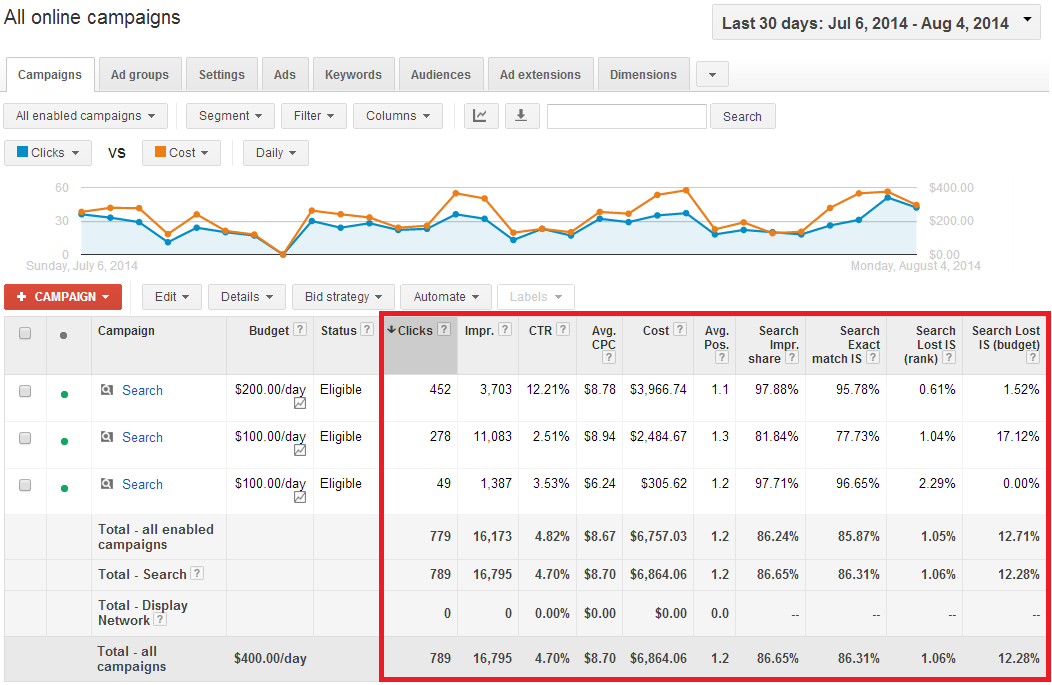
Clickthrough Rate (CTR) measures how often customers click your ad after it's served. A CTR under 1% on the Search Network generally indicates that keywords need improvement. Keywords with low CTR should be removed or refined, with more specific or targeted alternatives added instead.
Quality Score reflects how closely your keyword relates to your ads and landing page. You can view this by clicking the Columns icon above your statistics table, selecting "Modify columns," and choosing Quality Score. Ad relevance below average may indicate that your ad text needs updating to better relate to your keywords, or that you should split your ad group into multiple groups with more closely aligned ads.
Status shows the eligibility and approval status of your keywords. An "Eligible" status means the keyword complies with Google Ads policies and may trigger ads.
Consolidating Data for Analysis
Using Third-Party Analytics Platforms
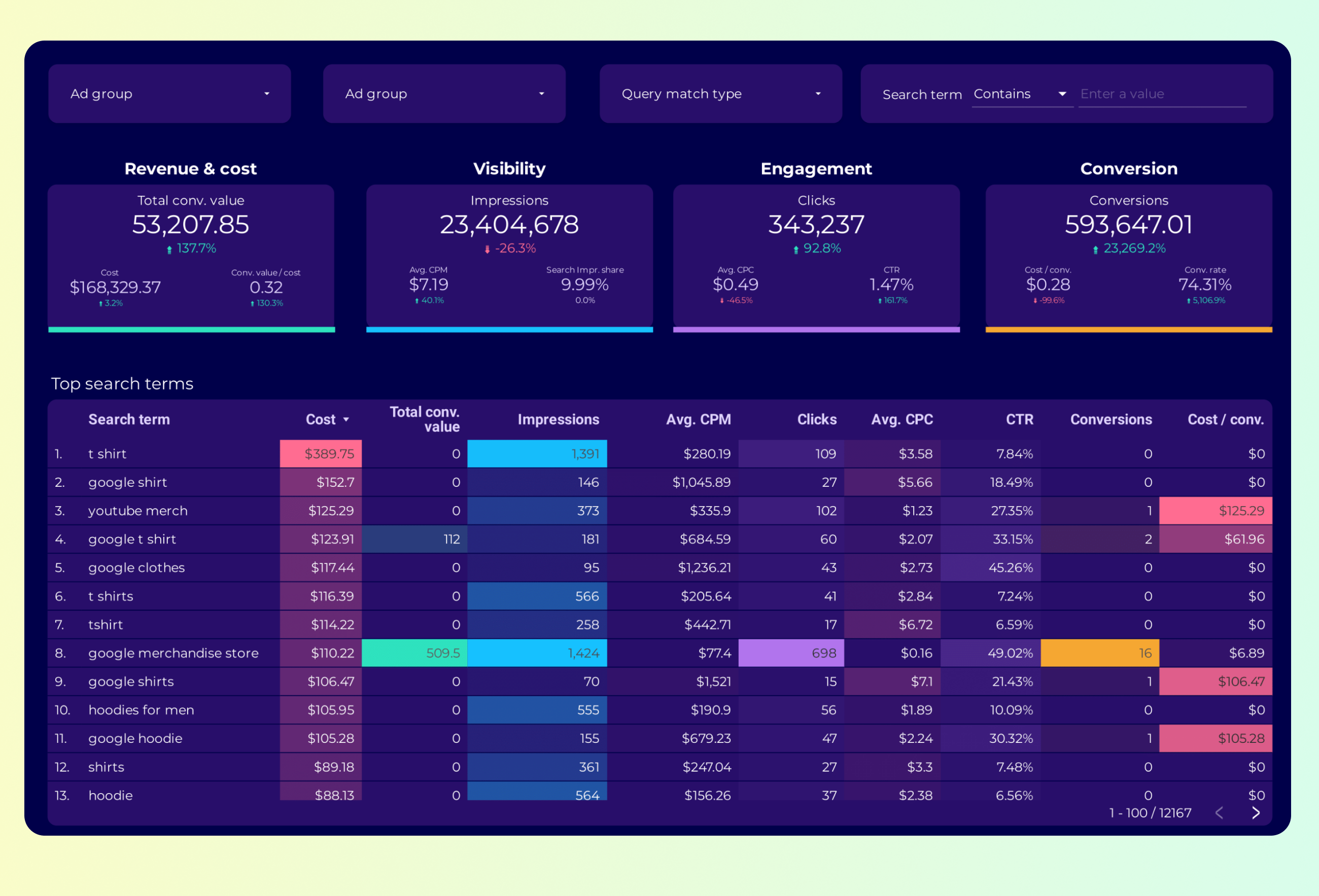
For more advanced analysis, consolidate your Google Ads data using dedicated analytics tools. Coupler.io provides prebuilt dashboards that consolidate Google Search Ads keyword performance data into detailed keyword-level insights, eliminating the need for manual data cleanup or transformations. This approach gives you complete visibility into individual keyword metrics to eliminate budget waste on underperforming terms.
Campaign and Ad Group Level Analysis
Segment your keyword performance by campaign and ad group to make informed budget redistribution decisions. Use campaign-level filtering to identify what's inside each campaign and how individual keywords perform, then apply ad group performance filtering to analyse keyword performance within specific ad groups.
Iterating and Optimising Performance
Identifying Optimisation Opportunities
Sort your keyword performance table by impressions and CTR to quickly identify keywords generating high impressions but low engagement. Track individual keyword performance over time using keyword-specific filtering to identify seasonal patterns and optimisation timing.
Analyse search impression share to identify keywords that under-receive impressions despite good performance metrics—these represent expansion opportunities. Additionally, use the Search Terms Report to discover long-tail keywords and expansion opportunities by examining which search queries are converting.
Refining Match Types and Negative Keywords
The Search Terms Report reveals how closely the search terms triggering your ads relate to your actual keywords. By seeing which match types work well for which keywords and searches, you can refine match types for all your keywords so that only the right searches trigger your ad, making your budget go further.
Implement a strong negative keyword list to prevent budget waste. While broad match has improved with smart bidding, pairing it with comprehensive negative keywords remains essential.
Testing and Continuous Improvement
Monitor competitors using the free Google Ads Transparency Center tool to gain insights into optimising your ads. Periodically review and expand your keyword list based on conversion data from the search terms report, which provides ideas for adding high-performing search terms as new keywords.
Set up automatic bid strategies in the "Bid strategies" section of your Google Ads account to optimise bids based on performance data. Leverage ad extensions such as sitelinks, callouts, and structured snippets to make ads more engaging, which may indirectly boost CTR and Quality Score.
Integration with Google Analytics
Tracking Post-Click Performance
Google Ads reports provide post-click performance metrics for users who clicked on your ads and then visited your website. To track Google Ads conversions in Google Analytics, navigate to Tools & Settings > Measurement > Conversions, click the '+' button, and select the option to import data from Analytics.
This integration allows you to attribute leads and revenue to specific keywords, providing a complete picture of keyword value beyond just clicks and impressions. By tracking visitor-level data, you can successfully calculate revenue per click and make more informed optimisation decisions.















WebSeoSG offers the highest quality website traffic services in Singapore. We provide a variety of traffic services for our clients, including website traffic, desktop traffic, mobile traffic, Google traffic, search traffic, eCommerce traffic, YouTube traffic, and TikTok traffic. Our website boasts a 100% customer satisfaction rate, so you can confidently purchase large amounts of SEO traffic online. For just 40 SGD per month, you can immediately increase website traffic, improve SEO performance, and boost sales!
Having trouble choosing a traffic package? Contact us, and our staff will assist you.
Free consultation