

Google Analytics Account and Property Structure
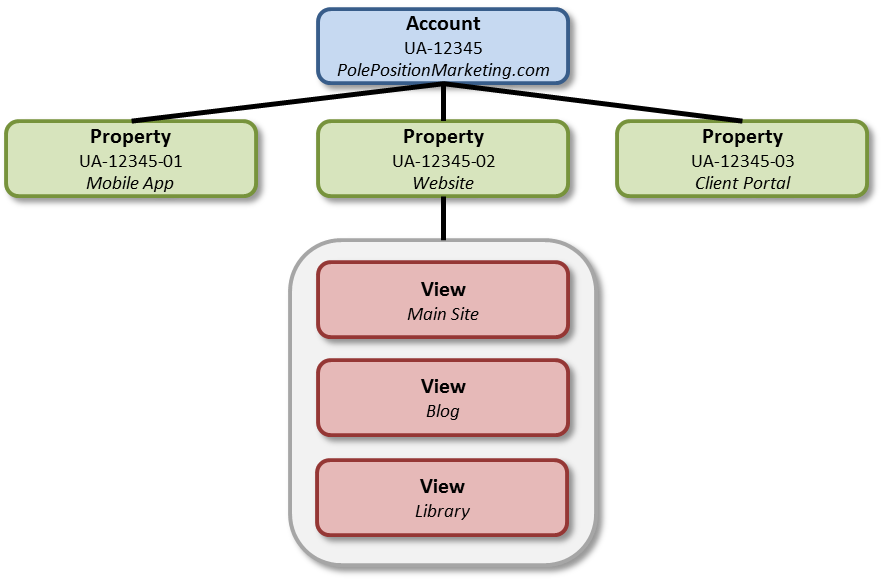
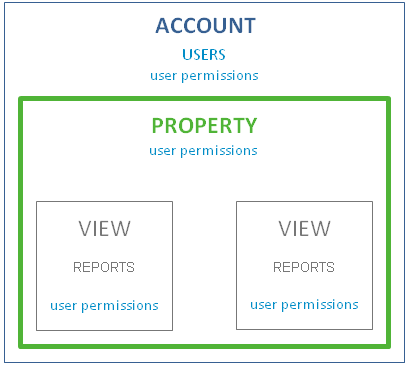
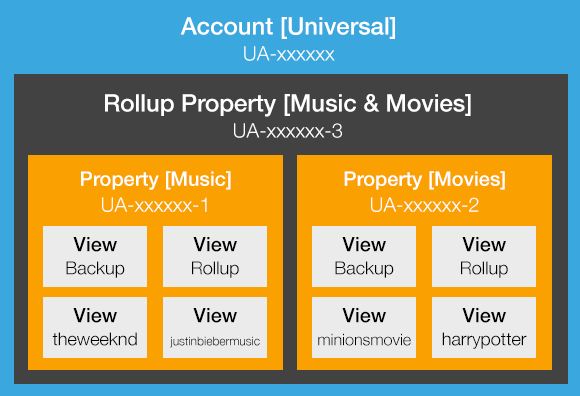
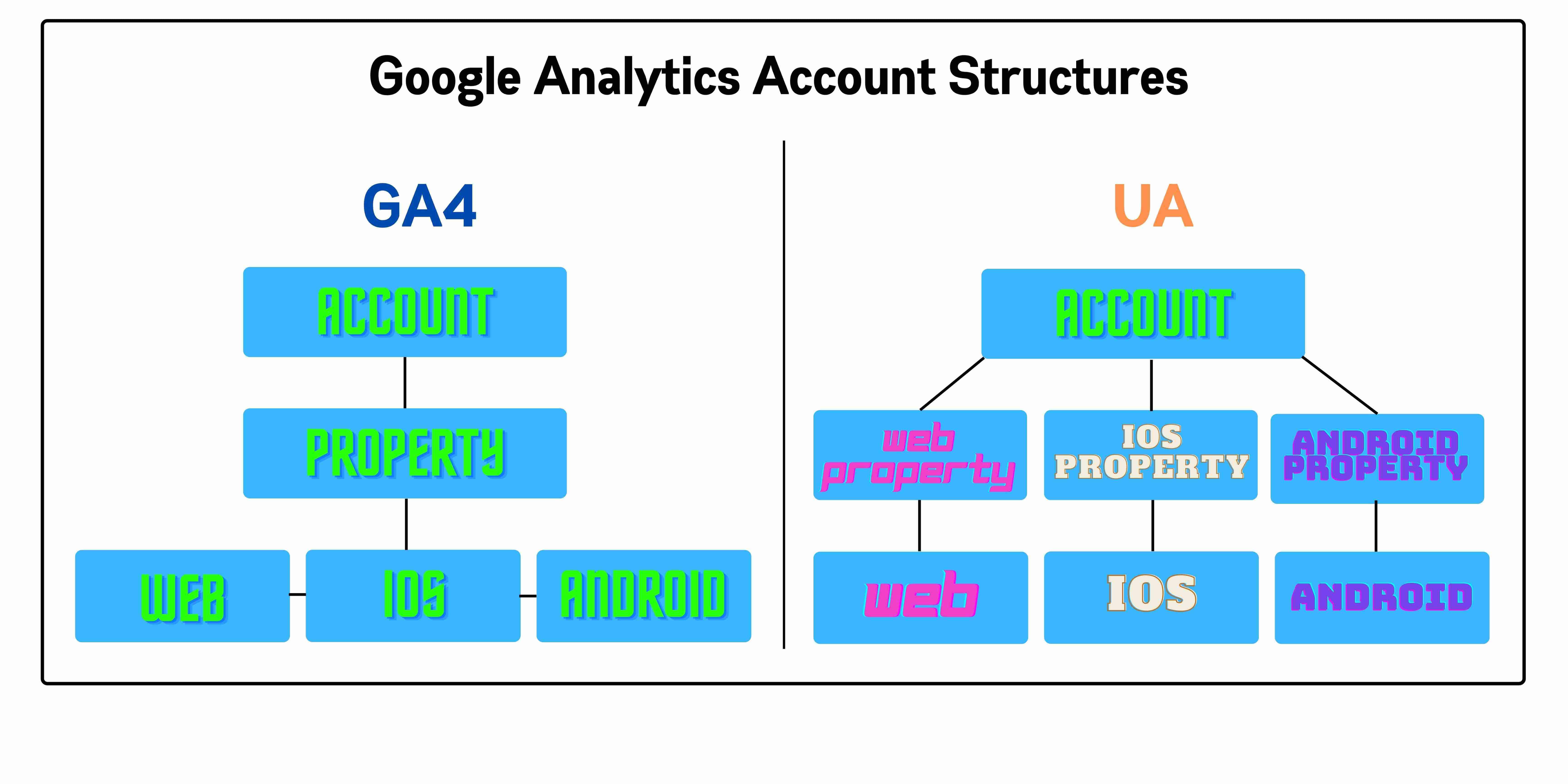
Google Analytics organizes data into accounts (top-level containers for businesses or organizations) and properties (specific websites, apps, or user experiences within an account). Use 1 account per business and create a new property for each distinct website or user experience (not per domain, as one site may span multiple domains).
Choosing the Right Account
- Select or create an account based on your business needs: one account typically suffices per business, as each supports up to 2,000 properties (a mix of Universal Analytics and GA4).
- Ensure you have Editor or higher permissions at the account level before adding properties.
- In the Admin panel (gear icon, bottom-left), verify the correct account is selected in the Account column.
Choosing the Right Property Type and Setup
- GA4 (Google Analytics 4) is recommended for new setups, supporting Web, Apps, or Web + App tracking in one property.
- Create a property for each unique tracking need (e.g., separate for different websites).
- Avoid over-fragmenting: multiple sites under one property if they share user experiences; otherwise, separate for isolated analysis.
| Factor | Recommendation | Why? |
|---|---|---|
| Property Name | Descriptive (e.g., business name + site identifier) | Easy identification among multiple properties. |
| Time Zone & Currency | Match your primary audience/reporting needs | Accurate reporting. |
| Industry/Business Size/Objectives | Select accurately; choose "Other" for full standard reports | Tailors setup without limiting data. |
| Data Streams | Add after creation (Web/App streams) | Enables tracking code installation. |
Step-by-Step Setup Process
- Log in to Google Analytics and click Admin (bottom-left gear).
- In the Property column, click + Create Property or Create > Property.
- Enter Property Name, select time zone, currency, industry category, business size, and objectives; click Next.
- Choose property type (e.g., Web + App for GA4); configure basic settings.
- Obtain tracking code/Measurement ID from Property settings > Data Streams; install on your site (or via Google Tag Manager).
- Verify data collection in real-time reports; adjust settings like data retention.
- Optional: Link to BigQuery or Firebase for advanced use.
Best Practices and Common Pitfalls
- Start with GA4: Universal Analytics is deprecated; migrate if needed.
- Permissions: Must be Editor+ at account level.
- Limits: 2,000 properties per account; contact support to increase.
- Verification: Check real-time data post-install; use Setup Assistant for recommended features.
- For apps or cross-platform, integrate Firebase projects.














WebSeoSG offers the highest quality website traffic services in Singapore. We provide a variety of traffic services for our clients, including website traffic, desktop traffic, mobile traffic, Google traffic, search traffic, eCommerce traffic, YouTube traffic, and TikTok traffic. Our website boasts a 100% customer satisfaction rate, so you can confidently purchase large amounts of SEO traffic online. For just 40 SGD per month, you can immediately increase website traffic, improve SEO performance, and boost sales!
Having trouble choosing a traffic package? Contact us, and our staff will assist you.
Free consultation