

Customizing GA4 for Journalistic Content Strategy
Google Analytics 4 (GA4) can be customized to track key journalistic metrics like article engagement, reader retention, traffic sources for news content, and search behavior on your site, using custom reports, explorations, segments, and events.
Core Customization Methods in GA4
GA4 offers three main tools for tailoring reports to content performance:
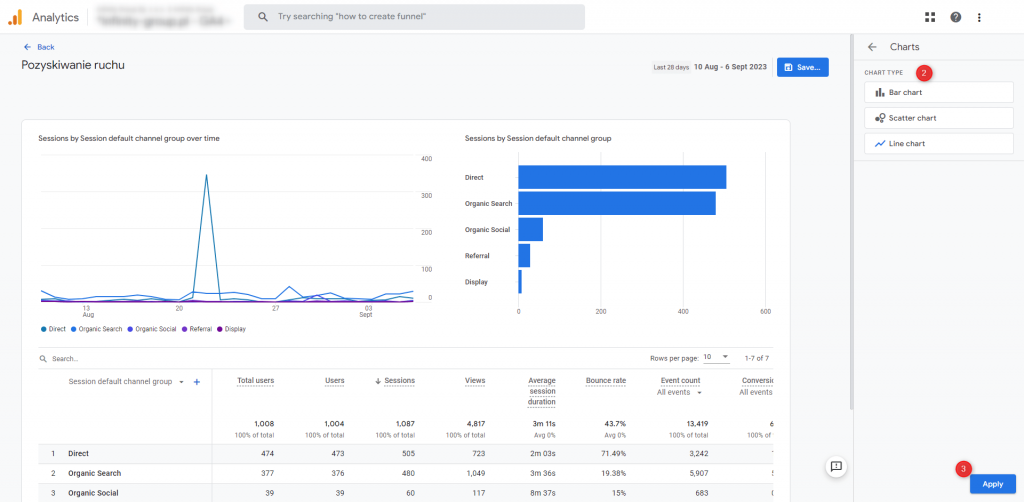
- Library for Custom Reports: Access via Reports > Library to edit standard reports (e.g., Acquisition, Engagement), create new ones from templates or scratch, add dimensions/metrics, apply filters, and organize into collections/topics for sidebar visibility.
- Explorations: Build advanced analyses for user paths, segments (e.g., new vs. returning readers), and behavior comparisons beyond standard reports.
- Looker Studio: Connect GA4 data for visualizations like dashboards tracking content metrics across articles.
Up to 150 custom reports per property; editors/administrators can modify detail reports.
Key Steps to Create Custom Reports
- Go to Reports > Library > Create new report (detail or overview).
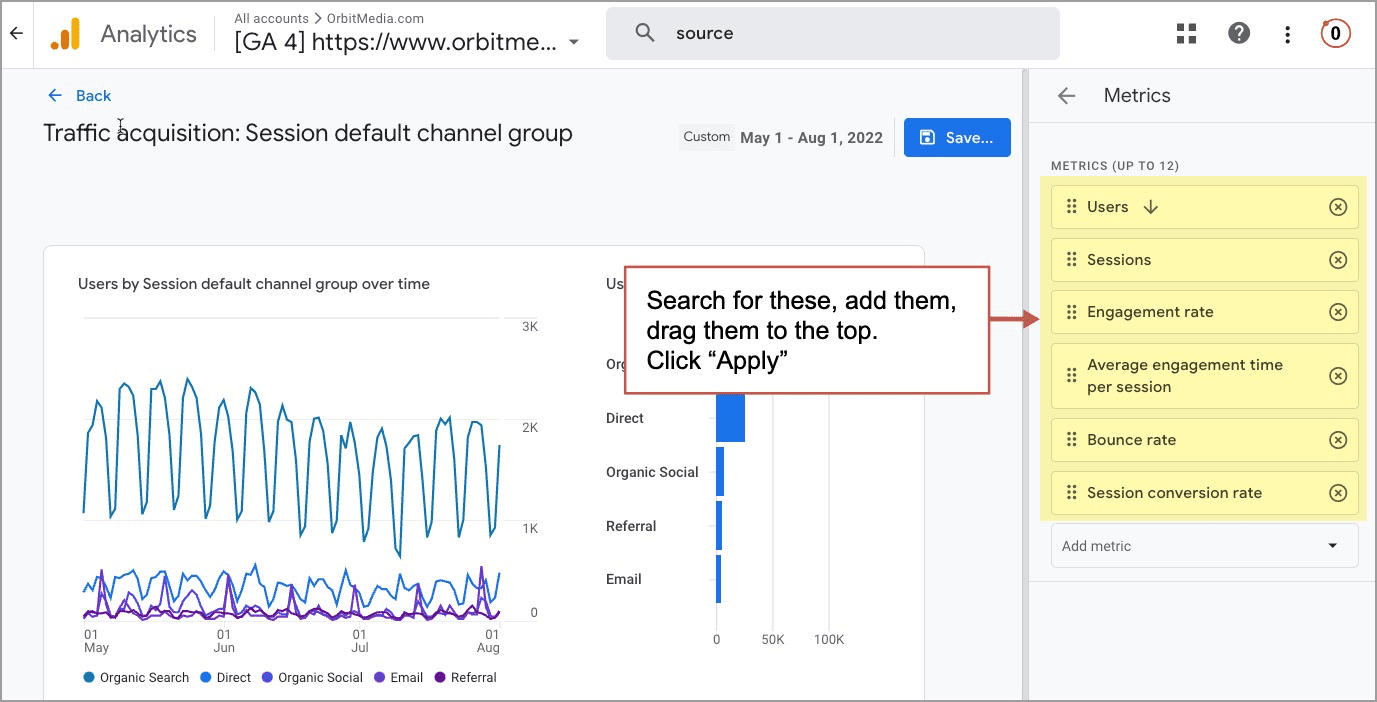
- Select template (e.g., Traffic acquisition) or blank; add dimensions (e.g., Page path, Search term, Traffic source, Device category) and metrics (e.g., Event count, Total users, Engagement time, Bounce rate).
- Apply filters (e.g., Hostname = news.yoursite.com, Event name = view_search_results for site search terms).
- Customize visualization (tables, charts); save, add to collection (e.g., custom "Content" topic), and publish.
- From existing reports: Click Customize report in top-right to adjust directly.
Journalism-Specific Customizations
Tailor reports to measure content strategy success, such as reader loyalty, viral sharing, and topic performance:
- Content Engagement Report: Dimensions: Page title/path + and, Engagement time; Metrics: Average engagement time, Event count (e.g., scroll depth, time on page). Filter for article paths (e.g., /articles/*). Reveals top-performing stories and drop-off points.
- Traffic Sources for News: Dimensions: Session medium/source (e.g., social, email newsletters); Metrics: Sessions, Conversions (e.g., newsletter signups). Identifies channels driving readership.
- Site Search Analysis: Dimension: Search term; Metrics: Event count, Total users; Filter: Event name = view_search_results. Uncovers reader interests (e.g., popular topics like "election coverage").
- Audience Segmentation: Create segments for new/returning users, device type, or geography; add custom dimensions (e.g., article category via events). Track behavior like returning readers' preferred content types.
- Custom Events for Journalists: Set up events for article shares, comments, video views, or downloads without coding. Include in reports for granular insights (e.g., CTA clicks on bylines).
| Report Type | Key Dimensions | Key Metrics | Use for Journalism |
|---|---|---|---|
| Content Performance | Page title, Path | Engagement time, Bounce rate | Identify high-retention articles |
| Acquisition | Session source/medium | Sessions, Users | Optimize promo channels (e.g., Twitter for breaking news) |
| Search Terms | Search term | Event count | Discover trending topics |
| User Behavior | User type, Device | Event count per user | Segment loyal vs. casual readers |
Advanced Tips
- Custom Dimensions/Metrics: Register via Admin > Custom definitions (e.g., "article_category") for deeper segmentation like "politics" vs. "sports" performance.
- Filters/Segments: Refine for mobile readers or specific campaigns; compare new vs. returning users.
- Integrate with Content Tools: Use Looker Studio for dashboards combining GA4 with CMS data (e.g., WordPress views).
- Monitor limitations: GA4 emphasizes events over sessions; test filters to avoid data gaps.
These setups enable data-driven decisions, like prioritizing investigative pieces with high engagement or A/B testing headlines.















WebSeoSG offers the highest quality website traffic services in Singapore. We provide a variety of traffic services for our clients, including website traffic, desktop traffic, mobile traffic, Google traffic, search traffic, eCommerce traffic, YouTube traffic, and TikTok traffic. Our website boasts a 100% customer satisfaction rate, so you can confidently purchase large amounts of SEO traffic online. For just 40 SGD per month, you can immediately increase website traffic, improve SEO performance, and boost sales!
Having trouble choosing a traffic package? Contact us, and our staff will assist you.
Free consultation