

Budget optimization in Google Ads using Keyword Planner data involves leveraging the insights provided by the tool to make informed decisions about keyword selection, bidding, and campaign structure. Here’s a step-by-step guide to help you optimize your budget effectively:
1. Discover and Analyze Keywords
- Use the Keyword Planner to discover new keywords related to your products or services.
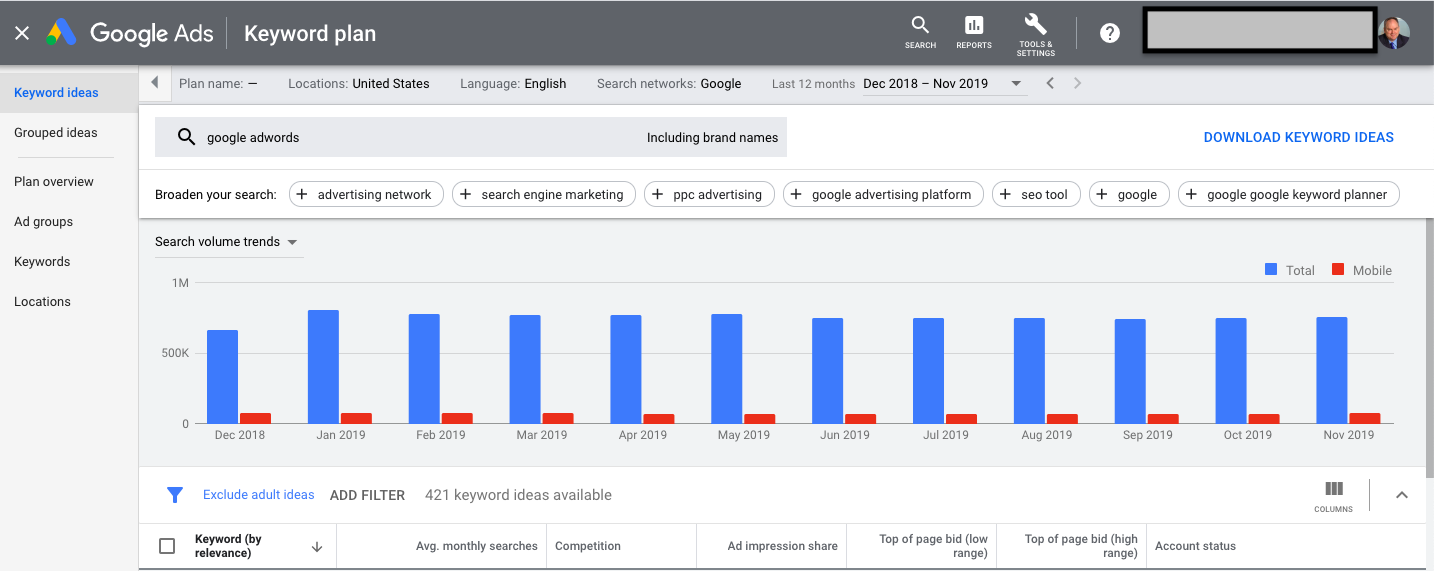
- Enter seed keywords or your website URL to generate keyword ideas.
- Filter results by location, language, and search network to ensure relevance to your target audience.
2. Evaluate Search Volume and Competition
- Review the average monthly searches for each keyword to identify high-traffic opportunities.
- Assess the competition level to understand how difficult it might be to rank for specific keywords.
- Focus on a mix of short-tail (broad) and long-tail (specific) keywords to capture a broader audience while targeting high-intent users.
3. Estimate Costs and Bids
- Use the bid estimates provided by Keyword Planner to gauge the cost-per-click (CPC) for each keyword.
- Compare these estimates with your budget to prioritize keywords that offer the best value.
- Adjust your bids based on historical data and actual campaign performance.
4. Forecast Performance
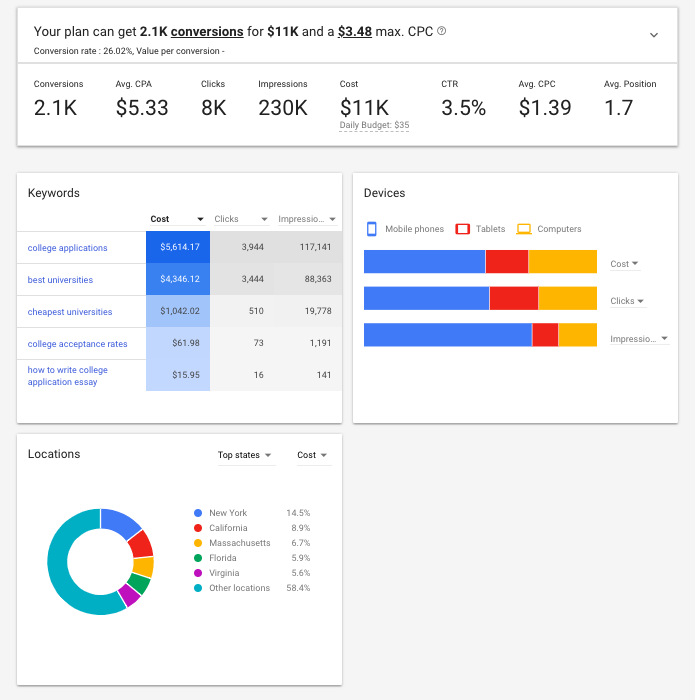
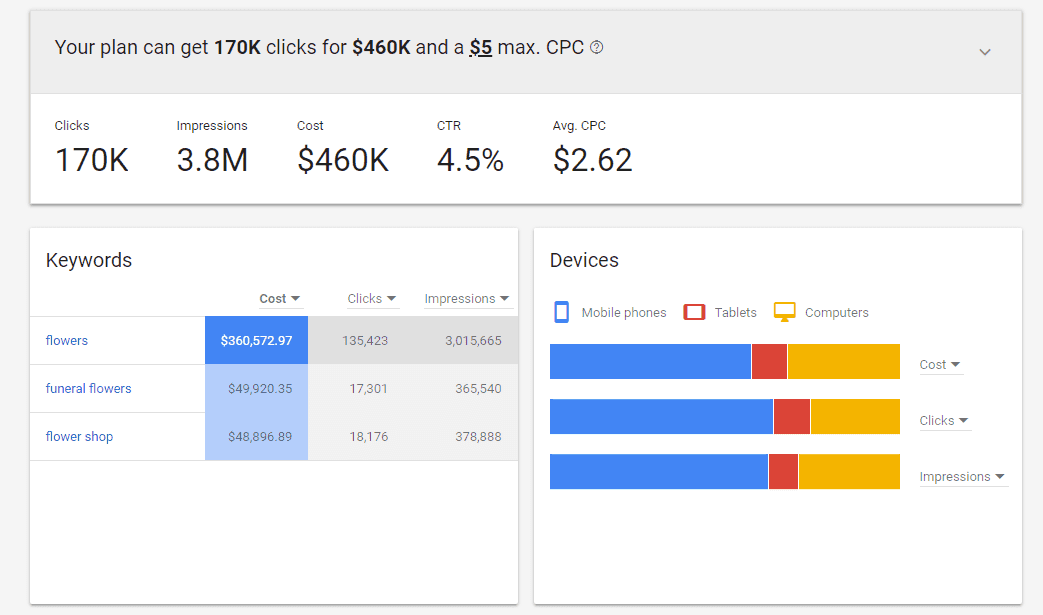
- Create a keyword plan in Keyword Planner to forecast potential performance metrics such as clicks, conversions, and impressions.
- Customize your forecast by adjusting the average daily budget and bid strategy.
- Use the forecast chart to visualize how different budget allocations might impact your campaign outcomes.
5. Organize and Prioritize Keywords
- Add selected keywords to your “Saved keywords” for future reference and organization.
- Group keywords into ad groups based on themes or product categories to improve campaign structure.
- Regularly review and update your keyword list to remove underperforming keywords and add new opportunities.
6. Monitor and Adjust
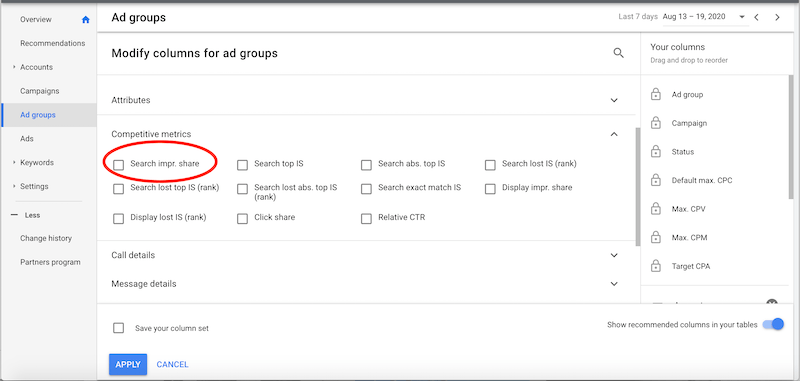
- Continuously monitor campaign performance using Google Ads reporting tools.
- Pause low-performing keywords that are not driving conversions or traffic.
- Increase bids or budget allocation for high-performing keywords to maximize ROI.
7. Utilize Additional Tools
- Consider using Performance Planner to forecast the impact of budget changes and receive recommendations for improving campaign performance without increasing spend.
- Set up budget alerts to track spending and make timely adjustments as needed.
8. Refine Strategy Over Time
- Regularly revisit your keyword strategy to adapt to market changes, seasonal trends, and evolving user behavior.
- Incorporate feedback from campaign results to refine your approach and optimize budget utilization.
By following these steps and leveraging the data from Keyword Planner, you can make strategic decisions that help you get the most out of your Google Ads budget.














WebSeoSG offers the highest quality website traffic services in Singapore. We provide a variety of traffic services for our clients, including website traffic, desktop traffic, mobile traffic, Google traffic, search traffic, eCommerce traffic, YouTube traffic, and TikTok traffic. Our website boasts a 100% customer satisfaction rate, so you can confidently purchase large amounts of SEO traffic online. For just 40 SGD per month, you can immediately increase website traffic, improve SEO performance, and boost sales!
Having trouble choosing a traffic package? Contact us, and our staff will assist you.
Free consultation