

Understanding Google Shadow Bans
Google does not officially recognize "shadow bans" for websites or search rankings; instead, visibility drops often stem from algorithmic filters, manual actions, or policy violations in services like Google Maps/Local Guides. Recovery involves audits to identify issues, cleaning up violations (not always via disavow), content rewrites, and formal reconsideration requests where applicable.
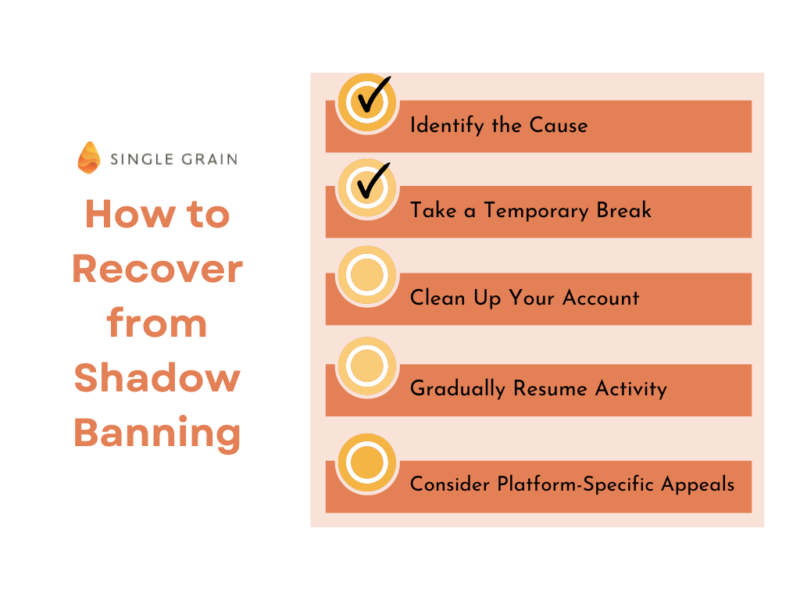
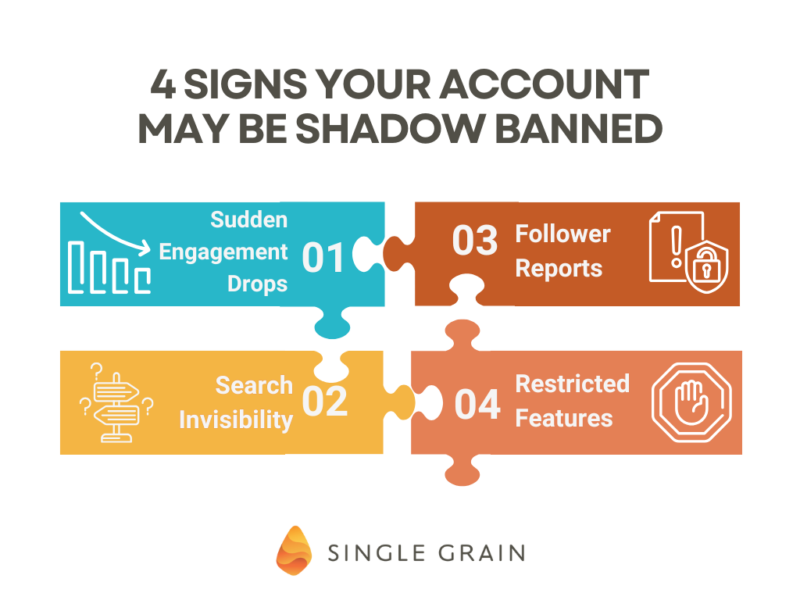
Step 1: Confirm the Issue (Audit Your Site or Account)
- Check visibility in incognito mode: Log out, use incognito, and search for your content/site. If visible only to you, it may be personalized filtering; if absent, it's likely deindexing or removal.
- Review Google Search Console (GSC): Look for manual action reports, deindexing notifications, or security issues. Identify violations like spammy links, thin content, or policy breaches.
- Audit content and links: Scan recent posts/reviews for spam flags (e.g., duplicate content, banned keywords, suspicious patterns). For websites, use GSC's URL Inspection tool.
- Differentiate ban types: Algorithmic (no notice, traffic drop) vs. manual (notified in GSC).
Step 2: Fix Violations (Clean Up, Rewrites, Disavow if Needed)
- Rewrite problematic content: Remove or edit low-quality, duplicate, or guideline-violating pages/reviews (e.g., explicit content, stolen images).
- Handle links: For unnatural inbound links, create and submit a disavow file via GSC only if confirmed as spammy—avoid overusing, as it's not always required.
- General cleanup:
Action When to Apply Expected Outcome Delete/archive risky content Policy violations, spam flags Reduces filter triggers Pause activity 3-14 days for reset Allows algorithmic review Disavow links Manual action for link spam Prevents penalty propagation - Do not delete everything indiscriminately, as it may signal evasion.
Step 3: Submit Reconsideration Request
- Eligibility: Only after full fixes; requires 10+ days wait for some restrictions.
- Process via GSC:
- Log in to GSC for the affected property.
- Go to "Security & Manual Actions" > "Request Review".
- Detail violations found, fixes applied, and prevention steps—be transparent, no excuses.
- Timeline: Reviews take 1-3 weeks; success restores visibility automatically.
- Local Guides/Maps specific: Appeal via program policies after 10 days; no detailed feedback provided.
Step 4: Post-Recovery Prevention and Monitoring
- Resume gradually with high-quality, compliant content.
- Monitor GSC for impressions/clicks; track in incognito.
- Avoid triggers: No automation, rapid changes, or policy edges.
- Most issues resolve in 2-4 weeks if addressed; persistent cases may need professional SEO audit.
If no GSC notifications and fixes don't help, it may not be a ban—consider algorithm updates or competition. Patience is essential, as no quick fixes exist.














WebSeoSG offers the highest quality website traffic services in Singapore. We provide a variety of traffic services for our clients, including website traffic, desktop traffic, mobile traffic, Google traffic, search traffic, eCommerce traffic, YouTube traffic, and TikTok traffic. Our website boasts a 100% customer satisfaction rate, so you can confidently purchase large amounts of SEO traffic online. For just 40 SGD per month, you can immediately increase website traffic, improve SEO performance, and boost sales!
Having trouble choosing a traffic package? Contact us, and our staff will assist you.
Free consultation