

Measuring recovery after a visibility drop requires a focused set of KPIs to show whether visibility, traffic quality, and business outcomes are returning — plus the right mix of monitoring tools and dashboards to detect regressions early and surface root causes. Below are the recommended KPIs, why each matters for recovery, targets/interpretation, and the monitoring tools and processes to track them.
Direct 1–sentence answer Track visibility (impressions/visibility score and keyword rankings), organic traffic quality (clicks, CTR, organic sessions, and landing‑page engagement), technical health (indexation, crawl errors, Core Web Vitals), backlinks and content signals, and business outcomes (conversions/revenue) — and monitor these with Google Search Console, Google Analytics 4 / RUM tools, rank trackers, backlink tools, and an observability stack feeding a recovery dashboard for daily roll‑ups and rapid alerts.
Essential context and recommended KPIs (what to track and why)
- Search impressions / Organic visibility score — shows whether your pages are appearing again in SERPs; impressions often recover before clicks do, so they’re an early recovery signal.
- Clicks and Click‑Through Rate (CTR) from search — measures whether SERP snippets regain attraction; improving impressions with low CTR suggests meta/title improvements are needed.
- Keyword rankings (especially high‑value and previously affected keywords) — direct indicator of ranking recovery and prioritisation for optimisation.
- Organic sessions / organic users — measures actual visitor return; use segments for device, country and landing page to detect uneven recovery.
- Landing page engagement: engaged sessions / average time on page / pages per session / bounce or GA4 engaged‑session metrics — shows whether returned traffic is relevant and useful.
- Conversion rate and goal completions (organic conversion rate and organic-assigned revenue) — ties visibility recovery to business impact; track absolute numbers and conversion rate per landing page or keyword.
- Indexation and coverage (indexed pages, excluded pages, crawl errors) — a technical blocker to visibility (if pages aren’t indexed, they can’t rank).
- Core Web Vitals and page performance (LCP, INP/FID, CLS, TTFB, TTI) — poor performance can hamper recovery and increase bounce; track both lab and RUM data and use a 28‑day window for CWV trends.
- Crawl budget / server errors / 5xx rates — spikes can prevent recrawl and reindexing after fixes.
- Backlink velocity and quality (new/lost backlinks, toxic links) — sudden loss of quality links can explain visibility drops and slower recovery.
- Content & SERP features presence (featured snippets, people also ask, knowledge panels) — regaining or losing SERP features affects clicks independent of rank.
- Brand vs. non‑brand organic split — determines whether recovery is limited to branded queries or broader non‑brand visibility is returning.
Practical targets / interpretation guidance
- Early recovery: impressions rise before clicks; watch impressions increase + stable/gradually improving CTR as a signal of re‑entry into results.
- Quality recovery: organic sessions and engaged sessions increase and bounce/engagement metrics per landing page trend back to pre‑drop baselines.
- Technical recovery: coverage/indexed pages count returns to expected levels and Core Web Vitals RUM medians improve (monitor 28‑day aggregates).
- Business recovery: organic conversions and revenue reach (or exceed) a defined percentage of pre‑drop baseline (e.g., 80–90% in first 30–60 days, depending on severity). Use week‑over‑week and month‑over‑month comparisons rather than day‑to‑day noise.
Monitoring tools and how to use them (what to run and when)
- Google Search Console (GSC) — primary for impressions, clicks, CTR, and coverage/index status; check Search Performance and Coverage daily during recovery and export trends for affected landing pages and queries.
- Google Analytics 4 (GA4) or equivalent — measure organic sessions, engaged sessions, conversions, and landing‑page behaviour; create segments for organic non‑brand and device; set up conversion funnels and attribution checks.
- Rank tracking (Ahrefs, SEMrush, Moz, or a dedicated tracker) — monitor target keyword groups daily for rank movement and volatility; track SERP feature presence.
- Backlink tools (Ahrefs, Majestic, Moz Link Explorer) — monitor lost/ gained links and referring‑domain trends; set alerts for significant link loss.
- RUM and synthetic monitoring (Chrome UX Report / PageSpeed Insights RUM / Datadog/RUM / New Relic / SpeedCurve / Pingdom) — combine lab and RUM data for Core Web Vitals and TTFB; run daily synthetic checks on priority pages.
- Server and crawl observability (server logs, Search Console crawl stats, Splunk/Elastic/Cloudwatch) — inspect real crawl behaviour, 5xx spikes, robots.txt responses and slow responses preventing recrawl.
- Heatmaps & session replay (Hotjar, FullStory) — assess behavioural changes on landing pages that regained traffic to diagnose UX problems causing poor engagement.
- Central dashboard & alerting (Looker Studio / Grafana / Datastudio / internal BI) — consolidate GSC, GA4, rank tracker and RUM into a single recovery dashboard that shows baseline vs current, with automated alerts on drops in impressions, clicks, indexed pages, or Core Web Vitals regressions.
Suggested dashboards and alert rules (practical examples)
- Recovery Overview dashboard (daily): impressions, clicks, organic sessions, conversions (all organic), indexed pages, LCP/INP medians, top 10 affected pages’ ranks.
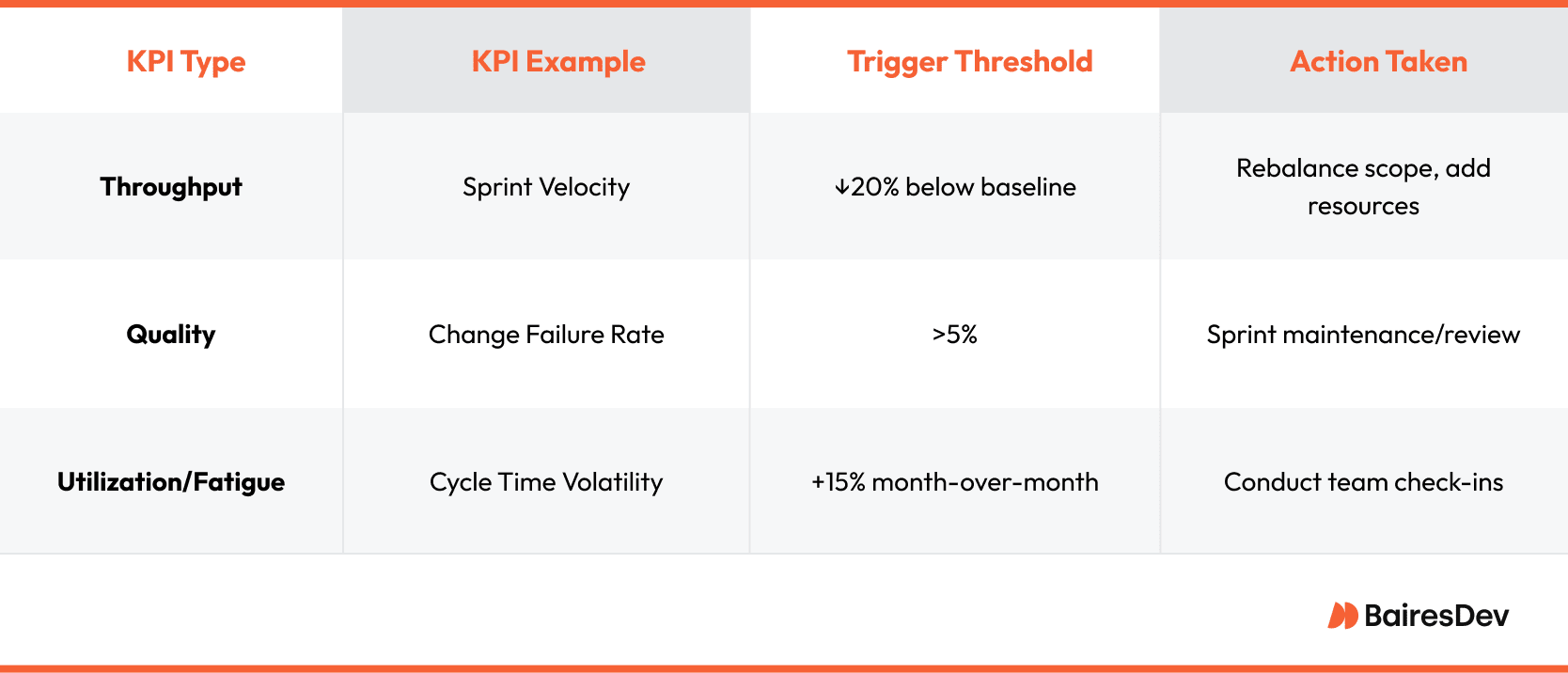
- Alert examples: impressions drop >20% week‑over‑week for an affected page; indexed pages fall by X% overnight; Core Web Vitals 28‑day median LCP worsens beyond threshold; organic conversions drop >25% vs baseline. Use severity tiers (informational -> action required) and tie to owners (SEO/content/engineering).
Measurement cadence and analysis approach
- Immediate (daily for first 14–30 days): impressions, clicks, index status, high‑value keyword ranks, server errors, Core Web Vitals RUM for priority pages. Use daily synthetic checks for top landing pages.
- Short term (weekly): segmented organic sessions, engaged sessions, CTR per landing page, conversions, backlink changes. Run a weekly RCA (crawl logs + GSC + indexation) for pages still not recovering.
- Medium term (monthly): trend analysis of visibility score, content performance, backlink profile, and business KPIs vs pre‑drop baseline. Use this to prioritise larger technical or content projects.
Root‑cause triage checklist (fast diagnosis steps)
- Check GSC coverage and manual actions; review the affected URL list and indexation status.
- Verify recent sitewide changes (robots.txt, canonical tags, hreflang, sitemap updates, major code/deploys).
- Review server logs for 4xx/5xx spikes and crawl rate changes; confirm crawlability and response times.
- Inspect Core Web Vitals / page speed regressions with RUM and lab tests.
- Check for sudden backlink loss or negative SEO activity.
- Compare SERP for target queries to detect new competitors or changes in SERP features.
How to attribute recovery to actions (proving fixes worked)
- Use incremental A/B or holdout tests where feasible (e.g., only fix a subset of pages first) and compare treated vs control pages’ impressions and clicks.
- Time‑sync fixes to GSC and GA4: expect impressions to change first (days) if indexation is restored and ranks to follow (days–weeks); conversions lag further and should be compared to baseline windows.
- Document changes (ticket, timestamp) and map to KPI time series to show causal links; combine qualitative SERP checks with quantitative metrics.
Limitations, pitfalls and what to watch for
- Day‑to‑day volatility is normal — focus on week‑over‑week or 7/28‑day rolling windows for Core Web Vitals and impressions.
- Impressions can rise without meaningful traffic (low CTR) — pair visibility metrics with CTR and engagement.
- Recovery timelines vary: simple indexation fixes can show improvement in days; complex ranking recovery (content authority, backlinks) can take weeks to months.
- Avoid chasing every micro‑fluctuation; prioritise high‑value pages and queries for resource allocation.
Quick starter checklist (first 72 hours after detecting a visibility drop)
- Export affected pages and queries from GSC and prioritise by traffic/value.
- Check GSC Coverage and Manual Actions, and server logs for errors and crawlability problems.
- Run Core Web Vitals RUM and synthetic tests on top affected pages.
- Set a recovery dashboard (GSC + GA4 + rank tracker + RUM) with alerts on impressions, indexed pages and 5xx rate.
- Plan immediate fixes (robots.txt, sitemap, indexation, crucial performance fixes) and document deployment timestamps for attribution.
If you’d like, I can:
- Build a recommended dashboard layout (fields, charts, and alert rules) for Looker Studio/Grafana with the exact queries and thresholds to use.
- Produce a 72‑hour triage checklist tailored to your stack (CMS, hosting, analytics) and sample alert templates.
Which option do you prefer — a prebuilt dashboard spec, or a step‑by‑step 72‑hour remediation playbook tailored to your platform?













WebSeoSG offers the highest quality website traffic services in Singapore. We provide a variety of traffic services for our clients, including website traffic, desktop traffic, mobile traffic, Google traffic, search traffic, eCommerce traffic, YouTube traffic, and TikTok traffic. Our website boasts a 100% customer satisfaction rate, so you can confidently purchase large amounts of SEO traffic online. For just 40 SGD per month, you can immediately increase website traffic, improve SEO performance, and boost sales!
Having trouble choosing a traffic package? Contact us, and our staff will assist you.
Free consultation